Rebuilding My 2013 Weather App
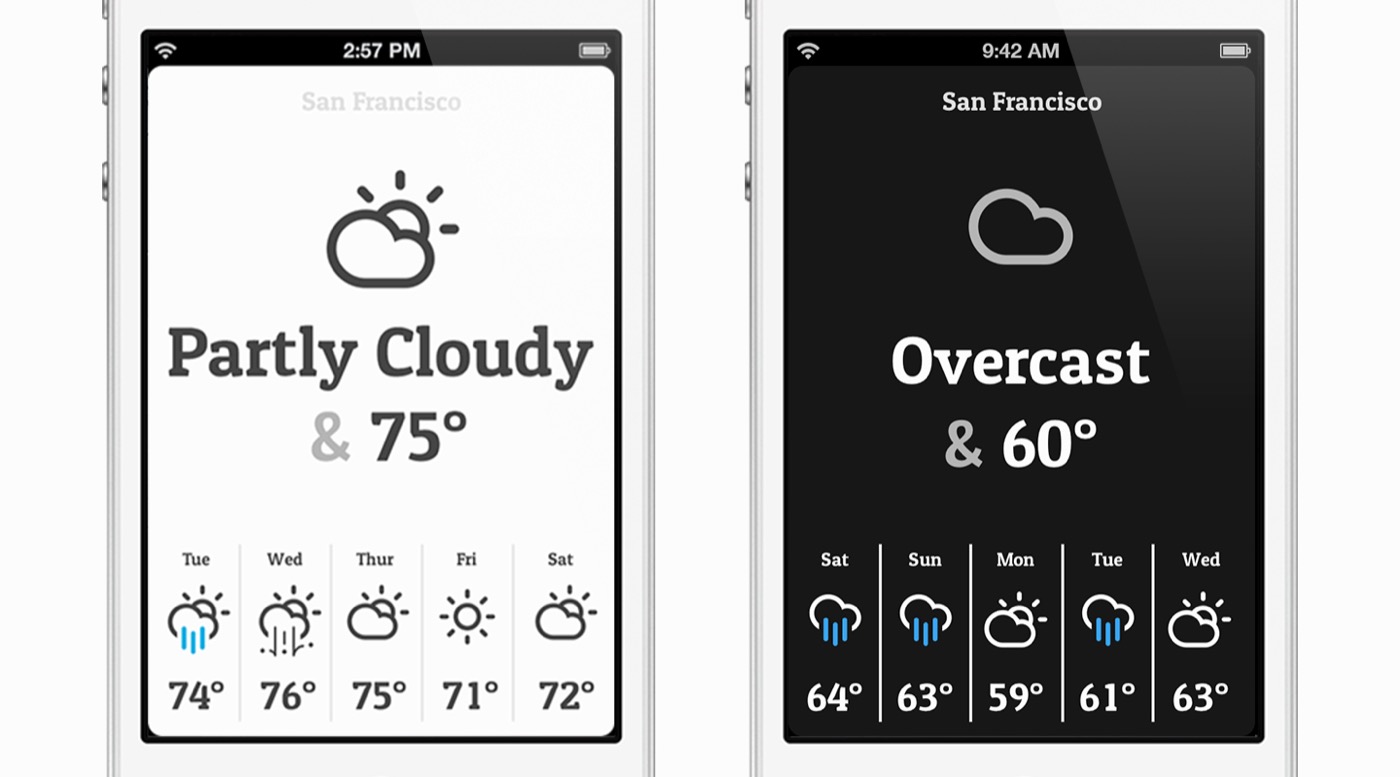
Jake MarshBack in February 2013 I announced Conditions on this blog. It was a little weather app built around one question: What’s the weather like? It showed you what it was like outside right now, a five-day forecast, and not much else. It went quiet about a year later, but I never threw anything away. I still have the Photoshop files, the Objective-C project and the Rails app that powered it.
This year I started rebuilding it from scratch for today’s iPhone and iPad. It’s getting close, so I wanted to write a bit about how it’s going.
Why Bring It Back#
Weather apps have only gotten busier since 2013. There’s a lot of great data in them, and some days I want it. Most mornings, though, I just want to know if I need a jacket. That was the whole idea behind Conditions, and I think it holds up even better now.
The goal for the rebuild was simple to say and fun to do: keep the look and feel of the original exactly, and make it feel at home on iOS 26.
What Carried Over#
Opening the old project was a trip. The colors were sitting right there in MainViewController.m as hex values: 0x454545 text on a 0xFCFCFC background for day, 0x171717 for night. The new app’s theme uses those same values. The font is the same too. Patua One, the chunky slab serif that gave the original most of its personality, is bundled again and used for every label in the app.
The icons are the original ones. Conditions used Adam Whitcroft’s Climacons, which I sliced into PNGs at three sizes back in 2013. I wrote a small script that pulls those exact slices out of the old project into an Xcode asset catalog, then a mapper that matches them up with WeatherKit’s list of conditions. Every condition gets a day and a night version, picked by whether the sun is up at that location. WeatherKit knows about a few things my 2013 set never drew, like hurricanes, blizzards and extreme heat, so those fall back to an SF Symbol.
Then there’s the pull to refresh. I was really proud of it in 2013 (I even told everyone to try it in the launch post). You pull down and a tiny thermometer fills with mercury as you go. Let go and it turns into a spinning compass while the forecast loads. The SwiftUI version matches the original’s layout point for point, down to the 60pt strip and the one-second spin of the compass.
I did change one thing. In the original, the mask that revealed the mercury swept down past it and back up, so if you reversed a partial pull, the mercury looked like it was filling from the other side. Now it fills from the bottom of the tube up, and backing off a pull simply drains it.
Three Taps#
In 2013, tapping anywhere on the app toggled between the forecast and an even simpler view of just what it’s like right now. The new version keeps that and adds one step. The first view is just the current temperature and condition. Tap once for the five-day strip with highs, tap again to add the lows, and once more to go back. It remembers where you left it.
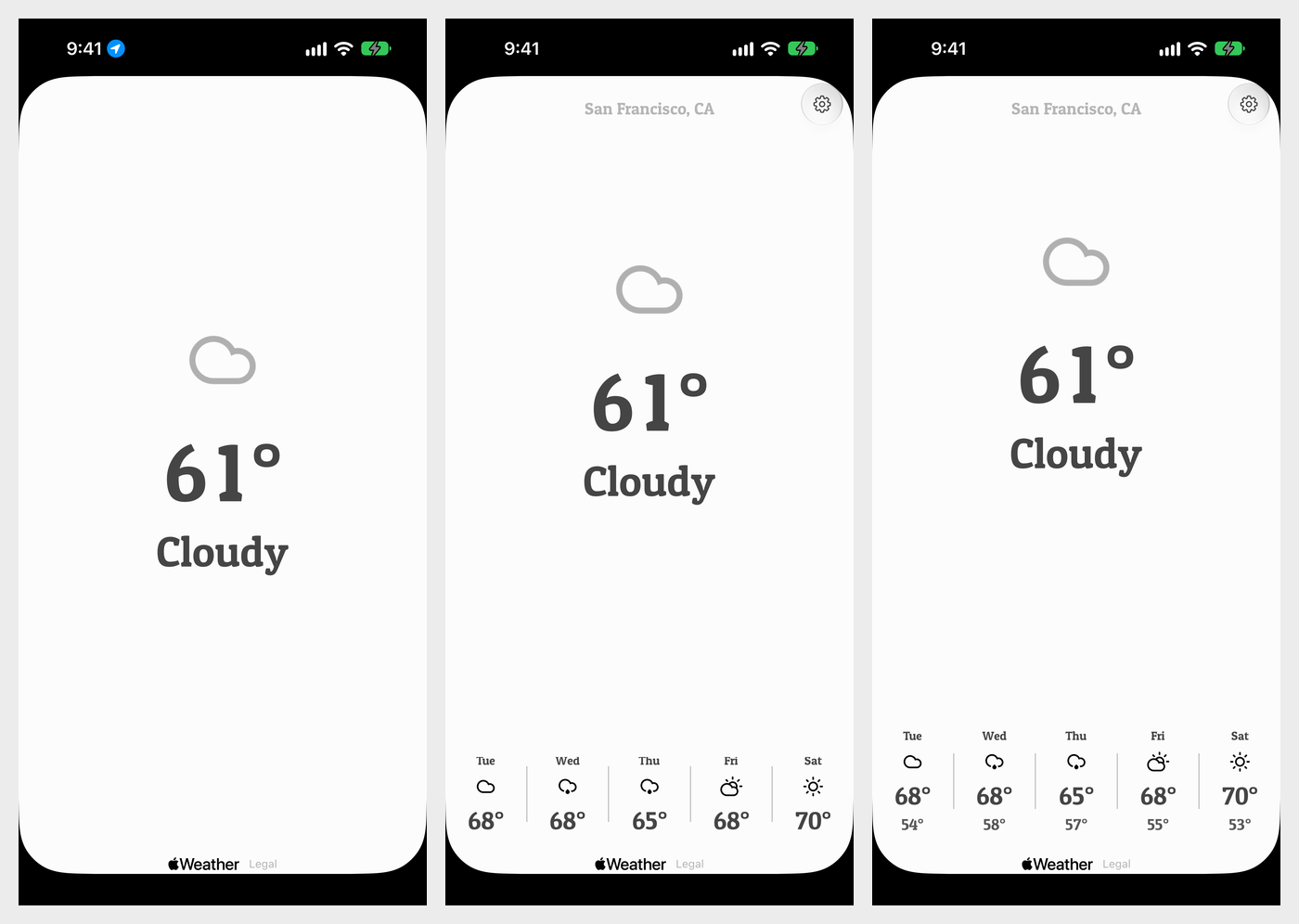
The city name and the settings button only fade in once you tap out of the minimal view, so the simplest state really is just the weather on a blank page. The settings button is a small Liquid Glass circle in the corner, which feels like the 2026 version of the custom settings button graphic from the original.
Getting these transitions to feel right took more tuning than almost anything else. Each tap flips the view’s own state first and saves the preference afterward, so the spring animation starts on the same frame as your tap instead of waiting a frame or two for the stored value to come back around.
What’s New#
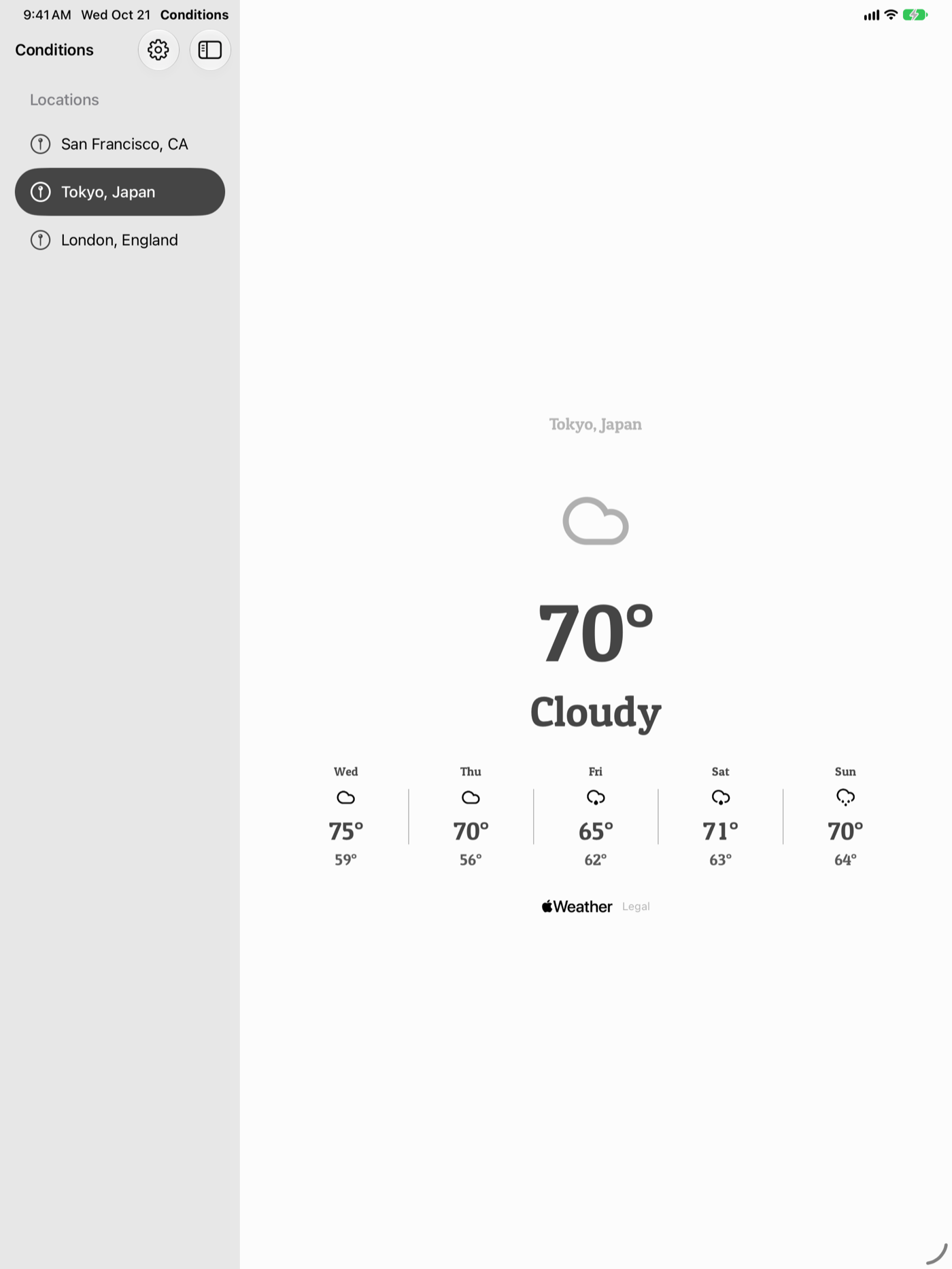
The original only knew about one place: wherever you were. Now Conditions starts with the city you’re in, and you can add any others by name in Settings and swipe between them. Each city refreshes on its own, so swiping over to Tokyo never blanks out San Francisco. On iPad the cities live in a sidebar, and the detail view shows the current conditions with the highs and lows together.
Widgets are the thing I’m most excited about, since a glance at the weather is exactly what Conditions was always for. There are Home Screen widgets in all four sizes and Lock Screen widgets in the circular, rectangular and inline styles. The app writes its latest forecast into a shared App Group container and the widgets read from there, so they draw instantly without making a request of their own. Their timeline refreshes every 35 minutes, which works out to about 41 reloads a day, right around the budget iOS gives a widget.
I’m also building an Apple Watch app with complications for the circular, corner, rectangular and inline spots. On the Watch, the light and dark themes follow whether it’s daytime where you are, the same way the original did. On iPhone and iPad, the app follows your Light or Dark Mode setting, and the icons still switch between their day and night versions.
Under The Hood#
The 2013 app was Objective-C on iOS 6. It talked to a small Rails app I ran at conditionsapp.com, which gathered the forecast and worked out whether it was dark outside where you were. That server lived on the same old Linode I finally moved out of this month.
The new one is SwiftUI with Swift 6 and strict concurrency checking, targeting iOS 26 and watchOS 26. Forecasts come from Apple’s WeatherKit, right on the device, with the Apple Weather mark and legal link under every forecast. There’s no server of mine in the middle anymore, and no accounts. Your location is only used to fetch your weather.
All the shared pieces live in one module called ConditionsCore: the day and night themes, the Climacons mapper, the weather store, preferences and the widget cache. The iPhone and iPad app, the widgets and the Watch all build on it, so a tweak to a color or an icon mapping shows up everywhere at once. The Xcode project itself is generated from a single XcodeGen project.yml, which keeps all those targets readable.
Where It’s At#
Right now I’m getting it ready for the App Store: screenshots, review notes, a walkthrough video and a refreshed conditionsapp.com. It’s been a lot of fun seeing those old Climacons on a modern iPhone, sitting on the same off-white background I picked out thirteen years ago. I’ll post here when it’s ready.