Rulebook, For Sorting Out My CLAUDE.md Files
Jake MarshIn this post
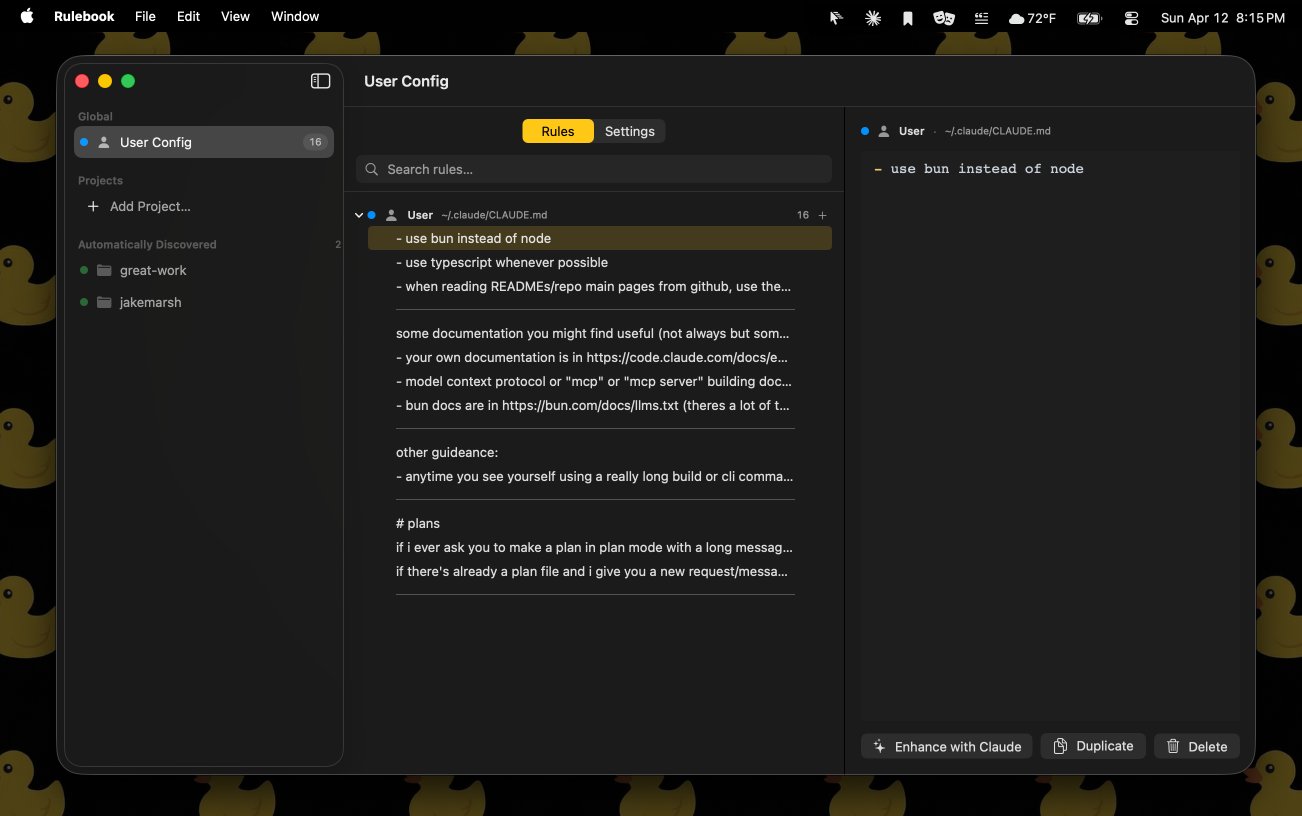
I’ve been building a little Mac app called Rulebook. It’s for editing and organizing my CLAUDE.md files and the rest of my Claude Code settings, and for keeping track of which ones live at which level.
It started because my own setup got away from me. My global CLAUDE.md has rules about using bun, plan files, scripts and git habits. Every project has its own file on top of that, some projects have a CLAUDE.local.md for things only I need, and then there’s a settings.json at nearly every one of those levels too. When an agent did something I didn’t expect, the first question was always “which file is that coming from?”, and answering it meant opening five files in five places.
Four Levels, Lots Of Files#
Claude Code reads its configuration from four levels, and Rulebook models each one directly:
| Level | Where it lives | Shared? |
|---|---|---|
| Managed | /Library/Application Support/ClaudeCode/ |
Set by an organization, read-only |
| User | ~/.claude/ |
Just you, every project |
| Project | CLAUDE.md and .claude/ in the repo |
Committed to git, shared with the team |
| Local | CLAUDE.local.md and .claude/settings.local.json |
Just you, this project, gitignored |
Each level can have instructions and settings. Instructions are CLAUDE.md files (plus CLAUDE.local.md at the local level). Settings are JSON: settings.json at the user and project levels, settings.local.json for the local one, and managed-settings.json for managed policy. Projects can also have a .mcp.json for their MCP servers.
Then it branches out. A project’s CLAUDE.md can sit at the root or inside .claude/. Subdirectories can have their own CLAUDE.md. There are path-scoped rule files in .claude/rules/ at both the user and project level. And any of those files can pull in another file with an @path/to/file import.
The two kinds of files also combine differently. Instructions stack: everything that applies gets loaded together. Settings override: a value in settings.local.json beats the same value in the project’s settings.json, which beats your user settings. Managed policy is read-only, and Rulebook shows it but won’t let you edit it.
Rulebook gives each level a color and an icon, labels whether it’s tracked in git, and shows the file path right next to every group of rules.
Working Rule By Rule#
The main idea is that you edit one rule at a time. Rulebook splits each CLAUDE.md into blocks wherever there’s a blank line, which is how most people already write these files. When a block is entirely list items, each item becomes its own rule, so a bulleted list of ten preferences turns into ten rows you can drag around. A paragraph that mixes prose with a list stays together, since splitting it would break up a single thought.
Saving reverses that. Neighboring list items are joined with single newlines, so a tight list stays tight, and everything else gets a blank line between it. Open the file in any editor afterward and it looks like something you’d have written by hand.
From there you can reorder rules with drag and drop, select several at once, and move them between files. Moving a rule from a project’s CLAUDE.md up to your user file, or down into CLAUDE.local.md because it’s only about your machine, is one drag. Rulebook rewrites both files and keeps undo working across the move. It also tracks each rule’s identity across reloads, so editing a file somewhere else doesn’t scramble your selection.
That last part matters because I’m still editing these files by hand and having agents edit them too. Rulebook watches every config file it knows about and reloads when one changes on disk.
Finding Projects#
You can add projects by hand, and Rulebook also looks for them. It scans the usual places code lives (~/Developer, ~/dev, ~/src, ~/code, ~/Projects and a few more) for folders with Claude Code config, and lists them under “Automatically Discovered”. It also scans inside the projects you’ve added, so a monorepo with nested projects shows each one as its own entry. Anything you don’t care about can be ignored, and it stays ignored.
Each project’s view shows its rules from every level, so you see the managed, user, project and local rules that apply to it in one list, each marked with where it comes from. There’s a Settings tab for the JSON files and an MCP tab for the project’s .mcp.json.
Settings And Permissions#
Settings get the same treatment. Permissions are the part I spend the most time in, because allow lists grow fast and nobody prunes them. Rulebook parses each permission rule (Bash(git status:*), WebFetch(domain:...), MCP tools and so on), groups them by tool and by the command or server they target, and points out duplicates and rules that a broader wildcard already covers. For anything I haven’t built a nice editor for yet, there’s a raw JSON editor.
Asking Claude To Tighten A Rule#
Every rule has an “Enhance with Claude” button. It runs the claude CLI you already have installed, asks it to rewrite that one rule to be clearer, and shows the suggestion as a diff next to the original. If it isn’t quite right you can reply with feedback, and Rulebook resumes the same session so it remembers what it already tried. Nothing changes until you accept it.
Still Going#
Rulebook is a native SwiftUI app, set up with XcodeGen like all my Apple projects. It isn’t out yet. I’m using it on my own setup every day and adding things as I find them. Next up is better editing for the rest of settings.json and the other Claude Code config, beyond rules and permissions.